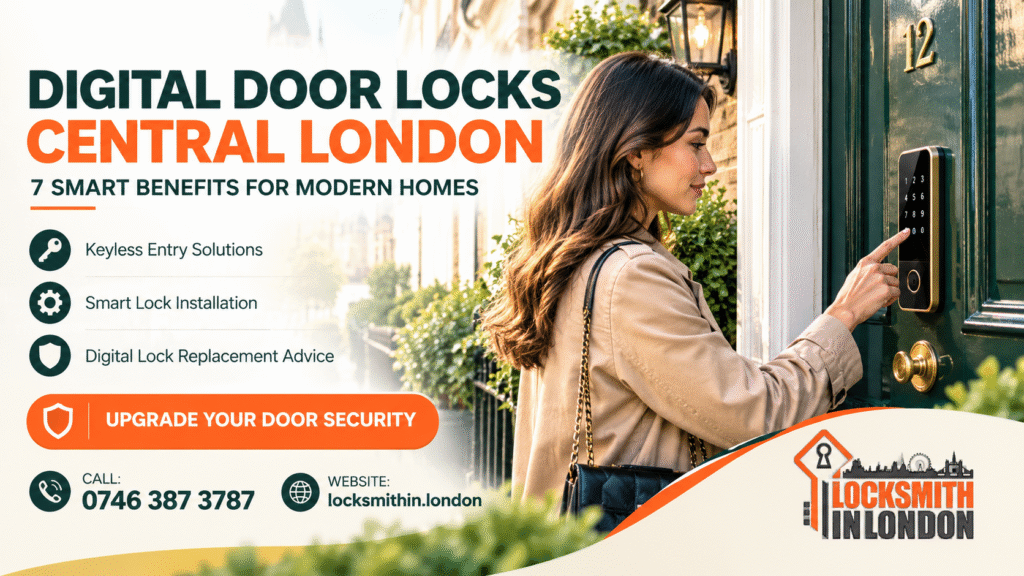
Digital Door Locks Central London: 7 Smart Benefits for Modern Homes
Modern homes and businesses need security that fits everyday life. Traditional keys still work well, but they can be misplaced, copied or forgotten when you need them most. Digital door locks offer another option, combining keyless entry with convenient access management.
If you are exploring Digital Door Locks Central London, this guide explains seven practical benefits, the different types of smart locks, installation considerations, typical UK costs and how to choose a suitable solution for your property.
Locksmith In London helps customers explore door lock solutions, repairs and replacement options. Visit locksmithin.london to learn more about available services.
Table of Contents
What Are Digital Door Locks?
A digital door lock is an electronic locking system that lets authorised users unlock a door using a method such as a PIN code, fingerprint, smartphone, access card or a combination of these options.
Some models operate independently, while others connect to a home automation system or mobile application. Features vary by manufacturer, model and installation.
For London homeowners, landlords and small businesses, the right system can make everyday access more convenient without overlooking the importance of physical door security.
Before choosing a model, review independent security guidance from Secured by Design, explore products from Yale Home UK, and learn about access-control solutions from ASSA ABLOY.
7 Smart Benefits of Digital Door Locks
1. Enjoy Keyless Entry
Imagine arriving home with shopping bags and not having to search through your pockets for a key. A keypad or compatible smartphone lock can make entering your property simpler.
Depending on the model, you may be able to unlock the door with a PIN, fingerprint, card or phone. This can be useful for busy households and people who regularly carry equipment or shopping.
However, check how the lock behaves if its batteries run low or its electronic components fail. A suitable backup method is essential.
2. Manage Access More Conveniently
Digital locks can help you manage who enters your property. Certain models allow you to create separate PIN codes or temporary access credentials for approved visitors.
For example, a landlord might provide a time-limited code to a contractor, while a small office could allocate access to authorised staff.
Choose a model that allows you to remove access promptly when circumstances change. Avoid sharing permanent codes with people who no longer need entry.
3. Reduce Dependence on Physical Keys
Lost keys can create inconvenience and may raise security concerns if you cannot establish where they went.
With a suitable digital lock, you can change a PIN or revoke a digital credential rather than relying entirely on physical keys. Some systems still include a conventional key cylinder, so check the exact design before purchasing.
Remember that keyless entry does not automatically make a door more secure. The quality of the lock, door, frame, installation and access settings all matter.
4. Support Busy Family Life
Families often need to coordinate school runs, work schedules, deliveries and visits from relatives.
A digital lock can make access easier for authorised family members without requiring everyone to carry an additional key. Some connected systems also provide activity notifications, although these features depend on the product and configuration.
For homes with children or older residents, choose an interface that is easy to operate and ensure everyone knows how to unlock the door safely from inside.
5. Improve Access Management for Small Businesses
A digital access system may be useful for shops, offices, studios and other small commercial premises.
Depending on the model, business owners can assign individual codes, change permissions when staff leave and avoid distributing numerous copies of physical keys.
For more advanced requirements, consider professional access-control equipment from established providers such as dormakaba, SALTO Systems or Allegion.
The correct solution depends on your entrance, number of users, opening hours and the consequences of losing access.
6. Explore Smart-Home Integration
Some smart locks work with compatible home automation platforms, allowing users to manage access alongside other connected devices.
Depending on the product, features may include remote locking, notifications and integration with a wider smart-home setup. However, remote access may require a hub, Wi-Fi connection, subscription or additional equipment.
Review the manufacturer’s compatibility information before purchasing. For general smart-home information, see Matter and Google Home.
Do not assume every digital lock offers remote access or works with every smartphone.
7. Choose a Modern Solution for Your Property
Digital locks come in a variety of finishes and designs, making it possible to find a model that suits contemporary homes, renovated flats and selected commercial entrances.
Some products are designed to replace an existing cylinder, while others require different hardware or door preparation.
The best choice is not necessarily the model with the most features. It is the lock that fits your door, supports your access requirements and provides appropriate security.
For further information on security products and standards, consult British Standards Institution, British Security Industry Association and British Standards Online.
Types of Digital Door Locks Define By emergency locksmith london
Different locking systems serve different purposes. Understanding the main options will help you shortlist suitable products.
Keypad and PIN locks
These locks use a numeric code. They may suit households, selected rental properties and small offices where authorised users need convenient access.
Choose a model that allows you to change codes and manage access safely.
Fingerprint locks
Biometric locks use a registered fingerprint to identify an authorised user. Performance can vary depending on the sensor, finger condition and product quality.
Check whether the lock offers an alternative access method in case the sensor cannot read a fingerprint.
Smartphone-enabled smart locks
These systems use a compatible phone or application. Some support Bluetooth, while others offer remote access through an internet connection or hub.
Review account security, software updates, connectivity requirements and recovery options before relying on app-based entry.
Card and fob locks
Cards and fobs are common in certain commercial and shared-access environments. They can make it easier to issue and cancel credentials, provided the system supports effective access management.
For a wider overview of physical security and product choices, visit Master Lock, Schlage and Union.
Choosing a Digital Lock for a London Property Search “locksmith near me”
Not every digital lock fits every entrance. A flat in a converted London townhouse may have different requirements from a modern apartment or a small retail unit.
Start by checking your door material, thickness, existing cylinder or mortice lock, handle arrangement and available space. Some doors may require additional work before a new system can be fitted.
Also consider how many people need access, whether temporary codes are useful and whether the lock must work without an internet connection.
For general consumer guidance, Which?, Citizens Advice and TrustMark offer useful starting points for researching purchases and services.
If you live in a rented property or a managed block, check the tenancy agreement, lease or building-management requirements before changing the entrance hardware.




Don’t Overlook Fire Safety
A lock must protect the property without compromising safe escape. This is particularly important for shared buildings, commercial premises and doors forming part of an escape route.
Before installing an electronic lock on a fire door or an exit door, obtain advice on the door’s intended function and applicable requirements. The door must remain capable of being opened safely in an emergency.
Read the relevant GOV.UK workplace fire safety guidance and London Fire Brigade guidance.
Installation and Maintenance
Professional assessment can help identify compatibility issues before you purchase a lock. An installer can check the door, frame, existing mechanism and the manufacturer’s fitting requirements.
After installation, test the lock with the door open before testing it fully closed. Confirm that authorised users can enter and exit, that the latch engages correctly and that any backup method works as intended.
Keep batteries in good condition, install manufacturer-recommended updates where applicable and change access codes when necessary. Never ignore a stiff handle, misaligned door or lock that works inconsistently.
If a digital lock stops responding, avoid forcing the handle or repeatedly entering codes. Follow the manufacturer’s instructions and contact a suitable locksmith if the fault persists.
For help with existing locking problems, visit Lock Repair in Central London or explore Door Lock Installation in London.
Digital Door Lock Pricing Guide By locksmith london
The cost of a digital lock depends on the product, door compatibility, installation complexity and any additional hardware required.
The figures below are illustrative budgeting ranges, not a quotation or confirmed prices from Locksmith In London. Actual costs can differ substantially by model and property.
| Service or product | Illustrative UK cost |
|---|---|
| Basic keypad lock | £60–£150 |
| Mid-range smart lock | £120–£300 |
| Premium connected or biometric lock | £200–£500+ |
| Standard installation labour | £80–£180 |
| Additional door or hardware modifications | Quoted individually |
Product and labour costs may be separate. Some installations also require a compatible cylinder, new handles, a hub, electrical work or adjustments to the door.
Before booking, ask for a breakdown covering the lock model, labour, additional parts, call-out charges and any ongoing subscription fees.
For consumer comparisons and service research, you can also consult Checkatrade, Yell, Trustpilot and The AA.
When to Contact a Locksmith In London
Consider professional advice if your existing lock is unreliable, the door does not close correctly or you are unsure whether a digital system will fit.
A locksmith can assess the existing mechanism, explain possible replacement options and identify installation requirements. If you are locked out or your lock has failed, look for an appropriate emergency service and confirm availability before relying on an estimated arrival time.
For local service information, visit Emergency Locksmith Service London.
When comparing providers, ask about relevant experience, the proposed hardware, written pricing and any applicable insurance or guarantees. Verify individual claims rather than assuming every provider offers the same credentials or response times.
Frequently Asked Questions
1. Are digital door locks secure?
A well-chosen digital lock can provide useful security features, but no lock is completely risk-free. Security depends on the product, installation, door construction, credential management and maintenance.
Choose a reputable model, use strong access codes where supported and follow the manufacturer’s security recommendations.
2. Can a digital lock be fitted to my existing front door?
Possibly. Compatibility depends on the door’s material, thickness, current lock, handles and the design of the replacement system. An assessment can establish whether the lock fits directly or requires modifications.
3. What happens if the battery runs out?
This varies by model. Some locks provide low-battery warnings, an emergency power connection or a mechanical key override. Check the manufacturer’s instructions and test the backup procedure before relying on the lock.
4. Can I use a digital lock on a rented London flat?
You may need permission from your landlord or managing agent, especially if installation involves drilling, replacing existing hardware or changing a shared entrance. Check your agreement and any building rules first.
5. Can a digital lock work without Wi-Fi?
Yes. Many keypad and some smart locks support local operation without Wi-Fi. However, remote control, notifications and some integrations may require a hub or internet connection. Confirm the features of the specific model.
6. How much does digital lock installation cost in Central London?
The price depends on the lock, door compatibility, labour and any extra parts or modifications. Ask for an itemised quote before work begins. The budgeting figures above are illustrative, not a confirmed company price list.
7. Who should I contact if my digital door lock fails?
Follow the manufacturer’s troubleshooting instructions first. If the lock remains faulty, contact a locksmith who can assess the mechanism and discuss repair or replacement. If you are locked out, confirm that the provider can attend your location before booking.
Book Digital Door Lock Advice in Central London
A suitable digital lock can make access more convenient for modern homes and small businesses, provided you choose a compatible system and maintain it correctly.
Locksmith In London can help you discuss your existing door, lock problems and potential replacement options. Contact the team to ask about service availability and request a quote.
Make an informed choice today: check compatibility, compare your options and choose a locking solution that suits your property.
Areas We Cover
- locksmith in Camden
- Locksmith in Westminster
- Locksmith in Loughton
- Locksmith in Chigwell
- Locksmith in London Epping Forest Distric
If you’re unsure whether we cover your area, simply give us a call.
Serving London, East, North & Central London: Expert Locksmith Near Me Services
Trusted Resources
- https://www.gov.uk
- https://www.met.police.uk
- https://www.nhs.uk
- https://www.checkatrade.com
- https://www.trustpilot.com
- https://www.yell.com
- https://www.which.co.uk
- https://www.citizensadvice.org.uk
- https://www.london.gov.uk
- https://www.securedbydesign.com
- https://www.masterlock.com
- https://www.assaabloy.com
- https://www.yalehome.co.uk
- https://www.bsia.co.uk
- https://www.locksmiths.co.uk
- https://www.theaa.com
- https://www.rac.co.uk
- https://www.checkatrade.com
- https://www.bbc.co.uk
- https://www.standard.co.uk