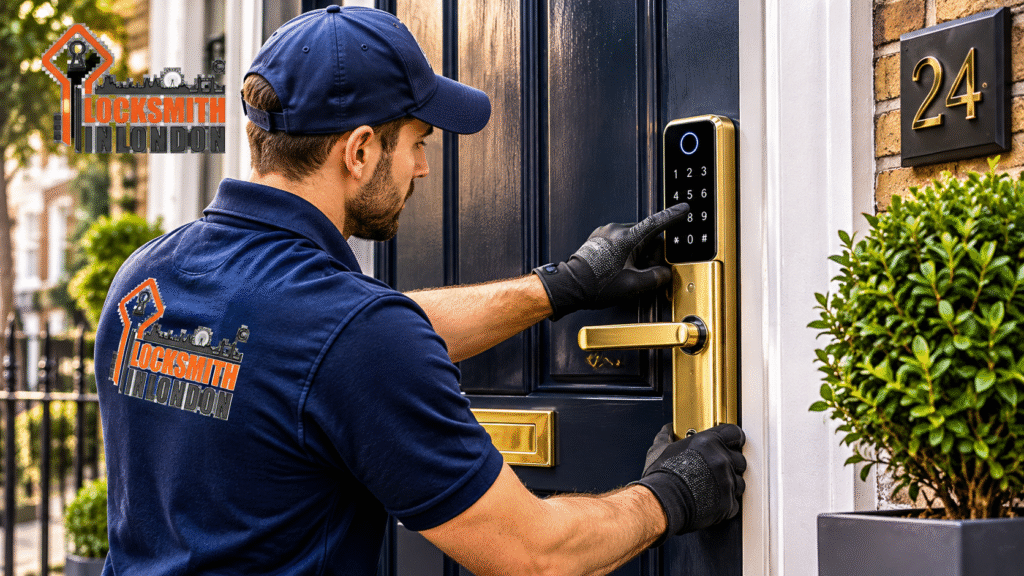
Smart Lock Security Ilford: 9 Smart Features
Smart Lock Security Ilford Thinking about upgrading your home security? Smart locks are becoming an increasingly popular option for homeowners, landlords and businesses across Ilford and London. However, choosing the right device involves more than selecting a lock that opens with a smartphone. You need to consider physical protection, digital door lock security, compatibility, emergency access and long-term reliability.
This guide explains nine important features to check before buying, how much smart lock installation may cost in the UK, and when to contact a professional locksmith for advice.
Whether you are replacing an outdated door lock, moving into a new property or upgrading your existing security system, making an informed decision can help protect your property and provide greater convenience.
Table of Contents
What Is a Smart Door Lock?
A smart door lock is an electronic locking device that allows you to control access to your property through technology rather than relying exclusively on traditional keys.
Depending on the model, you may unlock your door using a smartphone application, PIN code, fingerprint, access card, remote control or a combination of these methods.
Some smart locks replace the existing locking mechanism, while others attach to compatible internal door hardware. Certain models also allow homeowners to monitor access activity and manage temporary entry permissions.
However, a smart lock is only as dependable as its physical construction, installation and digital protection. Therefore, buyers should assess the complete security system rather than focusing on convenience alone.
Why Are Smart Locks Becoming Popular in Ilford?
Ilford has a diverse residential property market, including traditional houses, modern apartments, rental properties and commercial premises. Different properties have different access requirements, making suitable door security an important consideration.
Many homeowners want to manage access without distributing multiple physical keys. Landlords may also prefer temporary access codes for authorised maintenance workers, while families may appreciate fingerprint or PIN entry.
For people searching for a locksmith in London, understanding the available locking technologies can make it easier to choose an appropriate security upgrade.
Smart locks can offer several practical advantages:
- Convenient keyless entry.
- Better control over authorised users.
- Temporary access permissions for visitors.
- Smartphone notifications on compatible devices.
- Easier management of access for rental properties.
Nevertheless, electronic convenience should never replace proper mechanical security.
9 Smart Features to Check Before Buying
Choosing the right device requires attention to both technology and physical protection. Here are nine features worth examining before spending your money.
1. Multiple Unlocking Methods
A good smart lock should offer convenient access options that suit your household.
Depending on the model, these may include smartphone control, PIN entry, fingerprint recognition, RFID cards and traditional keys.
Having alternative access methods is particularly useful if your phone battery runs out or you experience connectivity problems.
Buying tip: Look for a model that offers at least one dependable backup entry method.
2. Strong Physical Lock Protection
Digital features are useful, but the physical locking mechanism remains essential.
Check the materials, cylinder construction, resistance to physical attacks and the security testing completed by the manufacturer.
For UK properties, consider suitable independently tested security products. Police.uk recommends choosing a three-star rated euro cylinder meeting TS007 standards when upgrading euro cylinder locks.
You can also investigate products carrying recognised certifications through Secured by Design and Sold Secure.
Buying tip: Never assume that a smart lock is physically secure simply because it uses advanced technology.
3. Fingerprint Recognition
Fingerprint technology allows authorised users to unlock compatible devices without remembering a PIN or carrying a key.
This feature can be useful for families and busy households. However, the quality of the fingerprint sensor matters.
Check whether the manufacturer explains its recognition performance, user capacity and procedures for adding or removing fingerprints.
Buying tip: Choose a reputable model with secure user management and alternative entry options.
4. Remote Access Through a Smartphone
Some smart locks allow owners to control access remotely through an application and an internet-connected hub or gateway.
This can help you manage authorised visitors, check lock status and provide temporary access when you are away.
However, remote functionality may require a subscription, additional equipment or a stable internet connection.
Buying tip: Check exactly which functions work locally and which require an internet connection or paid subscription.
5. Automatic Locking
Automatic locking can reduce the chances of accidentally leaving your door unlocked.
Depending on the device, the feature may activate after a selected period or when a compatible door sensor confirms that the door has closed.
However, automatic locking should not be confused with confirming that the door has properly engaged with its frame.
Buying tip: Look for adjustable locking timers and clear door-status notifications.
6. Battery Life and Low-Battery Alerts
Smart locks depend on an electrical power source. If the batteries run out unexpectedly, you may experience access difficulties.
Look for a device that provides low-battery warnings well before power becomes critical.
Also check whether the manufacturer provides an emergency power connection, mechanical key override or another documented backup method.
Buying tip: Understand the battery replacement process before purchasing.
7. Digital Security and Encryption
A connected lock should protect the information used to control it.
Check whether the manufacturer provides encrypted communications, secure account management and regular software updates.
Avoid products that rely on easily guessed default PINs or passwords.
The National Cyber Security Centre recommends changing default passwords, enabling two-factor authentication where available and installing security updates.
Buying tip: Research the manufacturer’s software support policy and the expected end date for security updates.
8. Activity Logs and Access Notifications
Some smart locks maintain an activity history showing when users accessed the property.
Depending on the product, you may receive notifications when someone locks or unlocks the door.
These functions can be useful for landlords, families and small businesses that need better access management.
However, activity logs should be protected by secure account permissions. Consider who can view the information and how long it remains stored.
Buying tip: Choose a system that allows you to remove former users and revoke access immediately.
9. Compatibility with Your Existing Door
This is one of the most important checks before purchasing a smart lock.
UK doors use different locking systems, including euro cylinders, multipoint locking mechanisms, mortice locks and night latches.
A smart device designed for one type of door may not fit another.
For example, some retrofit smart locks work with existing compatible cylinders, while other systems require replacement hardware or modifications.
Buying tip: Check the door thickness, cylinder dimensions, handle configuration and manufacturer’s compatibility requirements.
If you are uncertain, ask a professional locksmith to inspect your existing door before purchasing equipment.
Are Smart Locks Suitable for Every Door?
No. Not every smart lock works with every residential or commercial door.
The correct solution depends on your existing hardware, door construction, locking mechanism and security requirements.
For example, a uPVC door with a multipoint locking system may require a different approach from a traditional timber door fitted with a mortice deadlock.
Likewise, apartment entrances, shared access doors and commercial premises may have additional management or fire safety considerations.
Before selecting a device, consider the following:
| Door type | Important consideration |
|---|---|
| uPVC doors | Euro cylinder and multipoint compatibility |
| Composite doors | Cylinder dimensions and handle configuration |
| Timber doors | Mortice or night-latch compatibility |
| Aluminium doors | Manufacturer-specific locking hardware |
| Apartment doors | Building access and fire safety requirements |
If your current lock is worn, damaged or unsuitable for a proposed upgrade, replacing the existing mechanism may be a better solution than fitting an incompatible electronic device.
Smart Lock Security and UK Standards
Buying a smart lock requires attention to both physical and digital security.
For the mechanical side, investigate relevant standards such as TS007 and BS3621, depending on the door and locking system. These standards do not automatically apply to every smart lock, so check the certification of the complete product and its installation requirements.
The British Standards Institution provides information about recognised British Standards and product certification.
For additional security guidance, consult:
- Police.uk for home security advice.
- Secured by Design for police-preferred security specifications.
- GOV.UK for consumer smart-device guidance.
- NCSC for cybersecurity recommendations.
The UK Product Security and Telecommunications Infrastructure requirements introduced on 29 April 2024 also established baseline cybersecurity requirements for applicable consumer connectable products.
Importantly, a smart lock should not be selected solely because its packaging advertises advanced technology. Verify its actual specifications and security credentials.
Smart Lock Installation Costs in Ilford By locksmith london
How much does smart lock installation cost in Ilford?
The total price depends on the device, existing door hardware, installation complexity and any additional work required.
As a general UK budgeting guide, published trade estimates put many smart lock supply-and-install projects in the region of £150–£500. More complex systems can cost more.
Smart Lock Price Guide By Emergency locksmith london
| Service or equipment | Indicative UK budget |
|---|---|
| Basic smart lock device | £60–£150 |
| Mid-range smart lock | £150–£300 |
| Premium smart lock | £300–£500+ |
| Professional installation labour | £50–£150 |
| Additional hub or gateway | £40–£100 |
| Smart lock supply and installation | £150–£500+ |
These are indicative budgeting figures, not live Locksmith in London quotations or guaranteed prices. The actual cost will depend on the chosen product and door configuration.
For further price comparisons, consult Checkatrade’s smart lock cost guide and MyBuilder’s smart lock installation guide.
Before accepting a quotation, ask whether it includes the device, fitting, configuration, testing, additional hardware and any emergency call-out charges.
Need advice about your existing door lock?
Contact Locksmith in London to discuss suitable lock replacement and repair options.
Why Professional Locksmith Installation Matters Ask locksmith in London
A smart lock can have impressive specifications, but incorrect installation may affect its operation and reliability.
A professional assessment helps identify whether the selected device is compatible with the door and whether the existing locking mechanism needs attention.
An experienced locksmith can also help with cylinder measurements, lock replacement, alignment and testing.
Before hiring an installer, ask about their relevant experience, insurance, product knowledge and any applicable qualifications. Request a clear quotation and confirm what work is included.
For additional consumer guidance, explore Citizens Advice, Which?, TrustMark and the Master Locksmiths Association.




When Should You Contact an Emergency Locksmith?
Electronic locking systems can experience faults just like traditional locks.
You may need professional assistance if the lock stops responding, the mechanism becomes jammed, the battery fails without an available backup method or the door cannot be secured properly.
Other reasons to seek help include:
- A damaged or malfunctioning locking mechanism.
- Lost access credentials or compromised user accounts.
- A broken key or damaged cylinder.
- A door that will not lock or unlock correctly.
- A security concern following lost or stolen keys.
If you need an emergency locksmith in London, explain the problem, your location and the type of door when contacting a locksmith.
Locksmith in London provides changing lock and repair services for customers seeking assistance with residential and commercial door security.
Need help with a faulty door lock?
Call 0746 387 3787 or visit locksmithin.london.
Frequently Asked Questions
1. Are smart locks safer than traditional door locks?
Not automatically. Smart locks offer convenient access management, but their security depends on mechanical strength, installation quality, software protection and user management. A properly selected traditional lock may offer stronger physical protection than an unsuitable electronic device.
2. How much does a smart lock cost in Ilford?
The cost varies according to the brand, features, door compatibility and installation requirements. A general UK supply-and-installation budget is approximately £150–£500, although specialist systems can cost more. Request a quotation based on your actual door.
3. Can a smart lock be installed on a uPVC door?
Yes, some smart locks are compatible with uPVC doors. However, compatibility depends on the existing euro cylinder, multipoint mechanism, handles and the smart lock manufacturer’s specifications.
4. What happens if a smart lock battery dies?
This depends on the model. Some devices provide emergency power connections, mechanical key overrides or alternative entry methods. Always understand the manufacturer’s backup procedure before installation.
5. Can smart locks be hacked?
Internet-connected devices can face cybersecurity risks. Choose reputable manufacturers, use strong unique passwords, enable two-factor authentication where available and install security updates promptly.
6. Can I control a smart lock when I am away from home?
Some models provide remote access through a smartphone application and an internet-connected hub. Others only support Bluetooth or local control. Check whether remote access requires additional equipment or a subscription.
7. Who can help with smart lock installation and replacement in Ilford?
Locksmith in London can be contacted to discuss door lock changing, replacement and repair requirements. Call 0746 387 3787 or visit https://www.locksmithin.london to enquire about available services.
Upgrade Your Door Security with Locksmith in London
Choosing a smart lock is an investment in convenience, access management and property security. However, the right product must match your existing door and provide dependable mechanical and digital protection.
Before buying, compare the nine features discussed in this guide, check relevant security standards and confirm compatibility with your existing locking mechanism.
If your current door lock is damaged, outdated or unsuitable for an upgrade, professional advice can help you identify a practical replacement solution.
Looking for a locksmith in Ilford or elsewhere in London?
Locksmith in London offers changing lock and repair services for residential and commercial customers.
Don’t wait until a faulty lock becomes an unexpected problem. Get in touch to discuss your requirements.
Locksmith in London – Helping London customers with professional door lock changing and repair services.
External authority links
- GOV.UK – Private renting
- Metropolitan Police
- Secured by Design
- Master Locksmiths Association
- British Standards Institution
- Which?
- Citizens Advice
- Shelter England
- Checkatrade
- Trustpilot
- Yell
- British Security Industry Association
- Yale Home UK
- ASSA ABLOY UK
- ABUS UK
- London Fire Brigade
- Met Office
- The London Borough of Camden
- Home Office
- National Crime Agency
- Neighbourhood Watch
- Police.uk
Areas We Cover
- locksmith in Camden
- Locksmith in Westminster
- Locksmith in Loughton
- Locksmith in Chigwell
- Locksmith in London Epping Forest Distric
If you’re unsure whether we cover your area, simply give us a call.